Candu Actions is built for governed product actions. Your product remains the final execution boundary: Candu manages the conversation layer and structured tool calls, but your app calls your API from the user’s browser using your own credentials and authorization rules. Any action can be configured to require explicit end-user confirmation before it runs. That gives teams a practical control point for sensitive workflows without moving API execution or auth tokens into Candu.Documentation Index
Fetch the complete documentation index at: https://agents.candu.ai/llms.txt
Use this file to discover all available pages before exploring further.
Confirm before execution.
Sensitive actions can pause for approval before they run.
Execution stays in your app.
Your snippet calls your API with your credentials.
Review and improve.
Action history helps teams refine agent definitions.
Your API stays in control
Candu does not see or store customer auth tokens for your product. Action execution runs client-side inside the customer’s application. Your snippet intercepts the tool call and calls your API from the user’s browser using your ownfetchFn and credentials. Candu manages the conversation layer and structured tool calls, but your API execution stays inside your authentication boundary.
For sensitive actions, your backend enforces policy before execution. Product permissions, account state, spending thresholds, and business rules stay in your system.
See Architecture for the full execution model.
Confirmation for sensitive actions
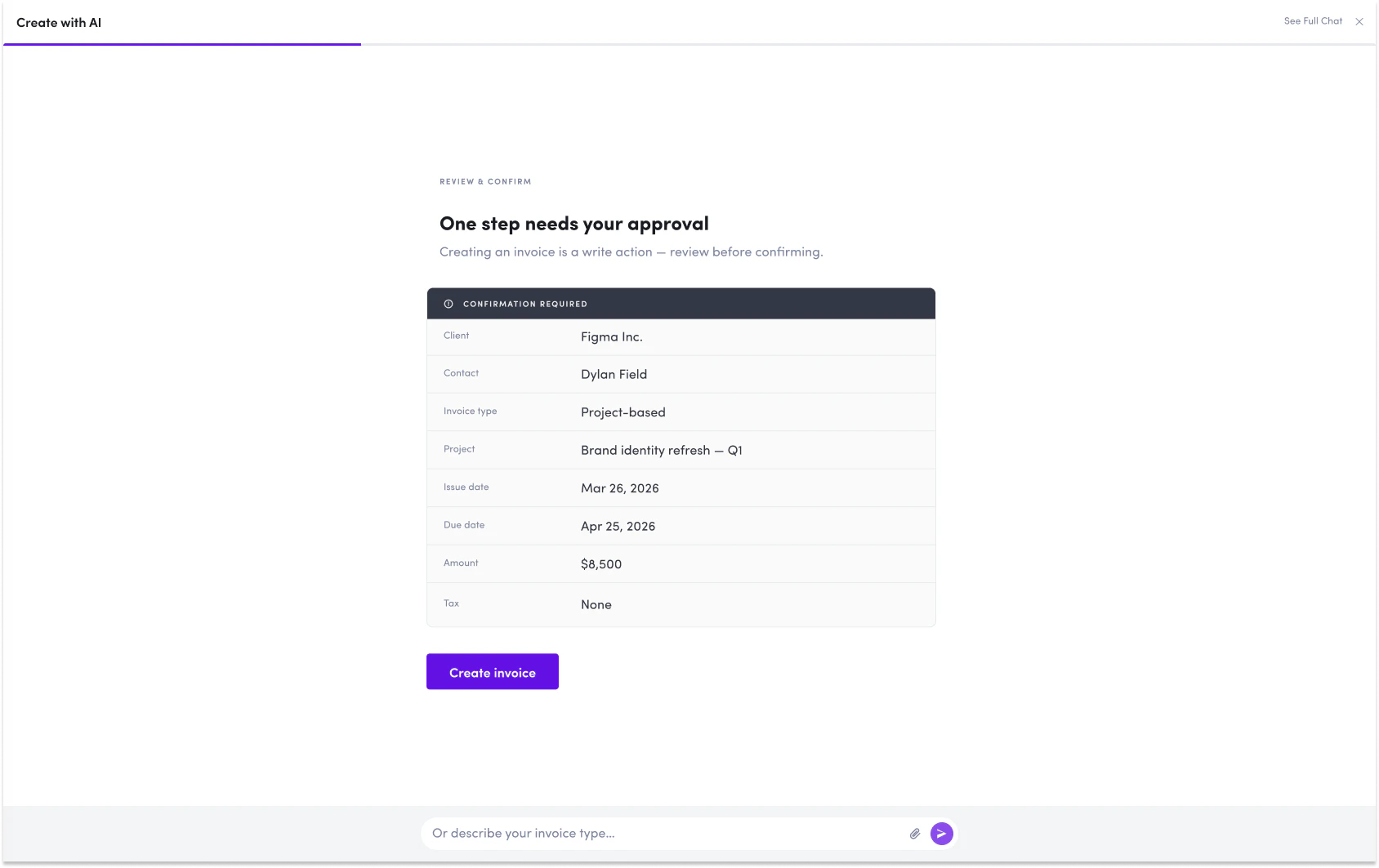
Candu lets teams require end-user confirmation before an action runs. Confirmation can be applied to any action. Many teams use automatic execution for low-risk lookups and require confirmation for actions that create, modify, publish, submit, export, or trigger an external effect. For example, an agent can review a customer account and suggest an update, but the end user can be required to approve the resolved action before it changes customer data. An agent can help prepare a workflow from uploaded information, but submitting or publishing that workflow can require confirmation first. Confirmation gives the end user a final review step before an action reaches your product or another system. Common confirmation-gated actions include:- Creating or updating a segment
- Publishing an onboarding flow
- Changing account settings
- Updating customer data
- Launching a campaign or message
- Triggering an integration sync
- Exporting data
Defined action boundaries
The model does not invent arbitrary API calls. Actions are defined by schema. The model selects from configured actions and fills typed parameters. If an action is not configured, the model cannot execute it through Candu Actions. Your product remains the source of truth for authorization. Your API should enforce its own access controls, validation, and business rules before any action runs.When the AI gets it wrong
Language models can make mistakes, misinterpret intent, or be manipulated by hostile inputs such as prompt injection from a document the agent is reading. Candu Actions assumes this and constrains the consequences.- Actions are defined by schema, not generated freely. The model selects from your configured actions and fills typed parameters.
- Sensitive actions can require end-user confirmation. The user sees the resolved call before it runs.
- Your API enforces final authorization, validation, and business rules. Candu cannot bypass it.
- Action and conversation history can be reviewed to understand what happened and refine the action or agent definition.
Action history and analysis
Candu records action and conversation history for review. Depending on configuration, action history may include:- Who triggered it
- What action ran
- What inputs were submitted
- What changed or returned
- Whether the action completed, failed, or was cancelled
- Timestamp